I switched from Linux to Windows on a Framework laptop
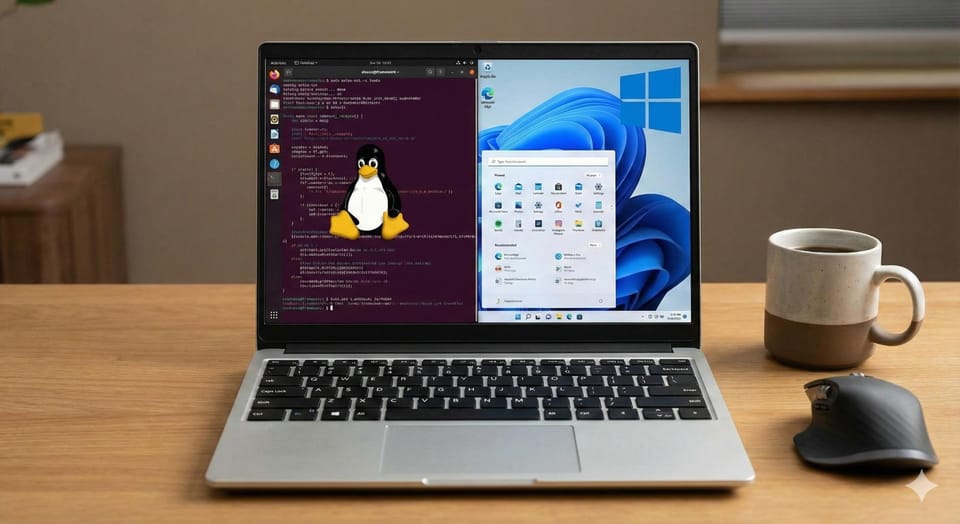
That's right. I did. And I cannot be happier (about this particular decision, I could definitely be happier otherwise). Linux personal computing has never been better and even with that I think this was the right decision for this particular
Let me explain.
No lakes were emptied in the making of this post. If it reads like LinkedIn broetry or ChatGPT generated, I assure you that it is a coincidence -- or just that I have been on LinkedIn a little too much. But seriously, I am handwriting this. For some reason reddit likes to think that any coherent looking block of text must be generated with AI.
Edit: actually, two small ponds were sacrificed in the making of some Gemini nano banana images
My experience with Linux
I am a professional (Site Reliability Engineer) who deals with Linux systems on a daily basis, so I am very comfortable with Linux. But you are here for a story, and I shall give you one.
The Origin Story
Let there be light
As a young boy growing up in a tiny town in Kerala, India, computers were a luxury. But, one of my best friend had a computer with Windows XP. This was ~2008. So that was my first experience with computers. We used to play GTA Vice city together in that thing.
2010 is the year I came in contact with Linux, in my college computer lab. I asked the teacher how I can install this and he gave me a flash drive with a Debian ISO
As the naive young student I was, I took the ISO and went to my best friend and told him about this newfound operating system "Debian", which looked quite different from Windows XP and I got him excited
What's a backup?
So I tried to install it alongside his Windows XP on his computer and accidentally wiped his hard drive (Luckily, he is a kind person and we are still great friends). This was the times before I even knew the word "backup", so we just sat there in silence for 30 minutes and accepted our fate (No more GTA for a while). This was my first experience with Linux and this hard drive wiping was the first wipe of the many thousands of hard drive and SSD wipes to come.
The Pull of the Penguin
I did not know what was it about Linux but the pull was there from day 1. When I got my first computer in 2011, it came with Windows 7, and it wasn't long before my second HDD wipe to install Ubuntu 10.10. I was in love. Then came Backtrack Linux and all the craze about hackzz – Life was good!
When I started my first job in 2014 as a Linux System Administrator, I already spent a good amount of time using, learning and pretending to hack stuff all in Linux, my first job felt like getting paid for doing hobby stuff.
All these times, of course I did use Windows here and there for games – Linux gaming those days were almost non-existent.
Subsequent years, I never used Windows for any professional work (SRE/DevOps stuff), it was always a flavor of Linux or MacOS! And for my personal laptops have almost always been Linux.
Breaking and Fixing Linux was the fun
Over the years, Linux was never all roses and sunshine. Things broke all the time, but fixing it was exhilarating. It never felt like a chore. And one of the main pain problem of most hardware was that it was never built for Linux.
Deciding to Buy Framework
Fast forward to 2023, I decided to buy the Perfect Linux laptop – Framework 13 AMD 7040 laptop! It was the dream laptop. The final boss (for the time) of Linux laptops. Perfect hardware with full Linux support. No need to worry about wifi not working. No concern of Nvidia messing up the display.
So I bought it. It was honestly the best Linux experience on a laptop so far! Finally I can rest and use the computer as it is meant to be – to make stuff. Right? Nope!
My problems with Linux
There were two main categories of problems I had
Type 1 - The Linux Laptop Experience
This was the main reason why I made the switch to windows – specifically about using any Linux distro on a laptop.
1 - Deep Sleep and battery drain
This was the biggest problem I had. On Linux, I work on something, I close the lid, I open it two days later and the battery is dead. Because Linux only supports S3 sleep (suspend to ram) by default.
The most frustration happens when I am traveling. I have to shut it down every single time before closing the laptop or I will drain a good chunk of the battery!
well, why don't you just enable hibernate in Linux?
Great question. suspend-then-hibernate should fix some of the issues. But it is not that straight forward
Hibernate Sucks on Linux
I am too lazy to explain, so let me have some kind redditor explain it
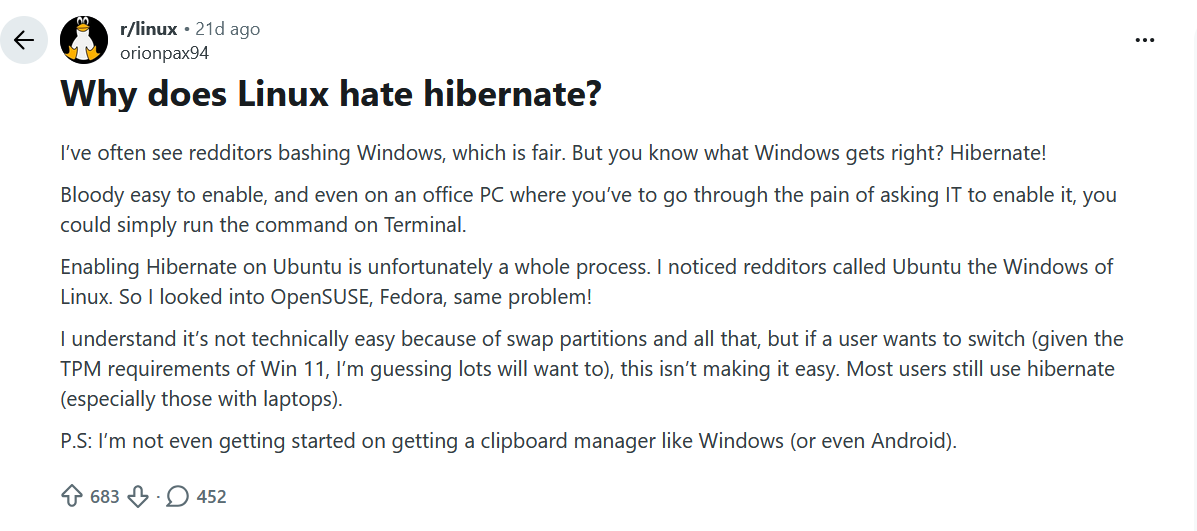
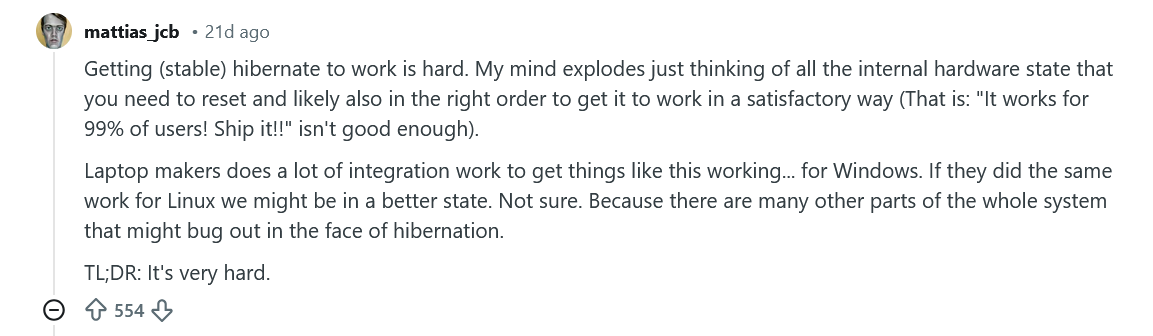
- It is a pain in the ass to configure Hibernate as it is not enabled by default in many distros – but still not impossible, I can make it happen
- It breaks randomly and requires reboot to fix
- It takes significantly longer time to boot up from hibernate in Linux
- I have 64GB RAM that makes it even more slow
- Full disk encryption – enter the password, wait for the whole shebang
- It takes a good 30-45 seconds to boot !
- Compare this to windows, it boots in 10 seconds, I can tap the fingerprint scanner and everything is exactly how it was 3 days ago!
2 - Fractional Scaling
With newest KDE, it is significantly better than it was a year ago, but we are still not there yet!
On Wayland and native apps things work fine for the most part, but the moment Xwayland, external monitor with different scale, plugging and unplugging comes in, things get weird really quickly. I don't have specific details about the bugs I had – it has been couple of months since I used Linux on the framework, but the experience has not been what I call "plug and play"
On windows, there are 0 issues. It works every single time consistently. 150% scaling looks perfect! Connecting to external display works perfectly with no issues!
3 - The Trackpad - Smoothness and Gestures
In Linux, GNOME works the best. KDE is okay. But Windows is just plain better experience. Again, subjective experience – kinda hard to explain
4 - The Fingerprint scanner
I did not realize how much more useful the fingerprint scanner is until I switched to Windows. In Linux it works, but it is nowhere nearly as consistent or useful. You will find yourself entering the password here and there I ended up not even using the fingerprint scanner.
5 - The Linux Desktop Experience
While all of the above complaints have been about Linux on laptops, there are certain things that are even more annoying that I had to deal with on my desktop PC
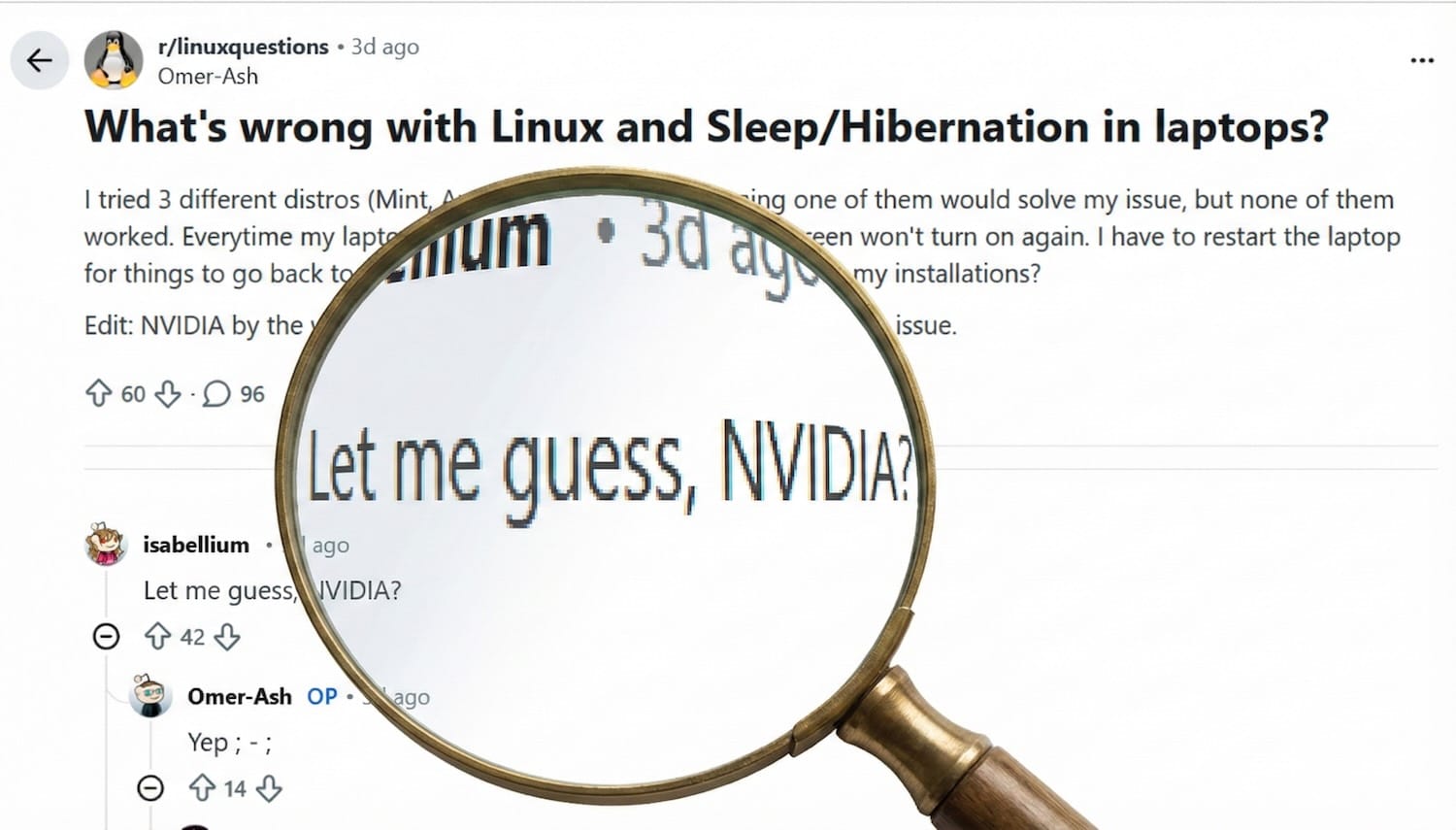
- NVIDIA : Of course, it is not Linux' fault. But that does not mean the experience is any better
- The PC won't sleep properly. I fixed it somehow, but now it won't wake up sometimes and have to hard reboot. I am done with adding more kernel parameters
- Davinci Resolve Studio and audio issues - AAC does not work
- OBS and NVENC. I had to put quite some effort to make it work and even then it had issues after few driver updates
But why buy Nvidia GPUs
I have an Nvidia 4080 Super that I use for Gaming, some local LLM stuff and video Editing (Davinci Resolve Studio). I even considered selling it and buying an AMD GPU to use with Linux desktop, but decided to stay with Nvidia
- Gaming - 4080 Super is faster than the fastest AMD consumer GPU
- AI/ML - Nvidia is the king there, no doubt
- Davinci Resolve - It supports Nvidia much better!
- NVENC is so much nicer
Type 2 - The Paradox of Choice
Okay, so far I talked about my experience with Linux laptops and the issues arise purely due to the interaction between the hardware and the software. Now I want to talk about some thing that is a bit more subjective and personal problem. I know this is completely my fault, but I thought I should share it anyway because I know I am not the only one
Linux desktops offers ultimate customizability. That is a good thing, right? Yes, if you are a normal person. But no if you are a maximizer like myself
/r/UnixP**nDistro and Desktop Environment hopping
Yeah! It was a disease. Spent days and weeks jumping between different distros. Ubuntu -> Fedora -> Debian -> Arch -> Fedora. And add the combination of desktop environments into it: KDE -> Gnome -> i3 -> Sway -> KDE -> Hyprland
The Perfect "Productivity" Computer
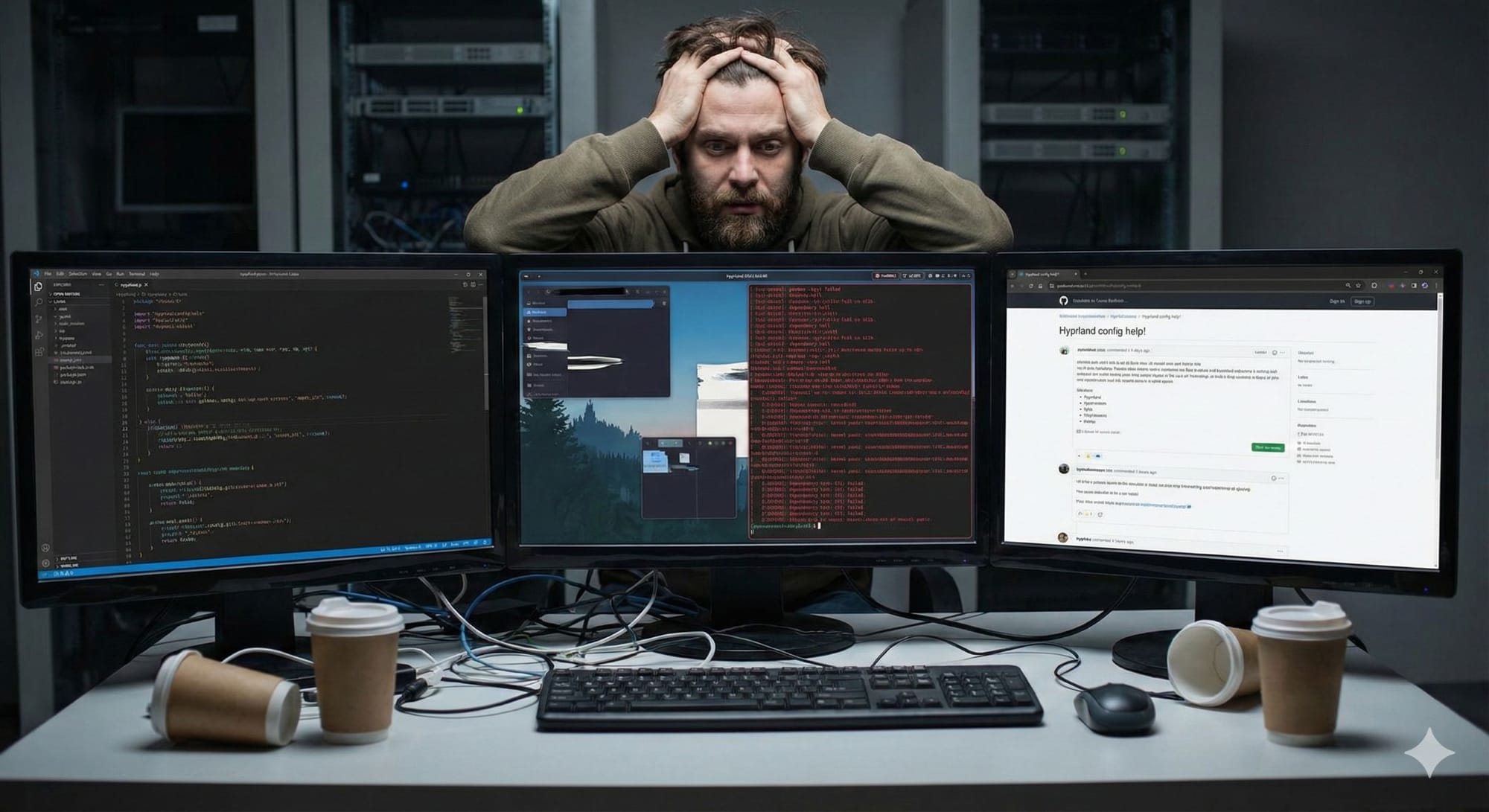
If I choose a Desktop environment that is optimized for productivity, I will be more productive.
- I just have to use Hyprland window manager with precise animations that are not too fast or slow – just right
- The Waybar needs to have all the important information – let me write a custom bash script to show the CPU fan speed so I know when the laptop is overheating
- I need to make my keybinding work perfectly so I dont lose the flow when switching between apps
Once I have done all these, I will be so productive and nothing will stand in front of me and my creativity!

Yak Shaving - A True Story
Yak Shaving
I swear I am not making this up. This really happened. This was a couple of months ago when I wanted to write a blog post. So I booted my PC with Arch and Hyprland.
- Wait let me update the system.
yay -Syu. Great! 2GB download, should be fast. Update -> Reboot - Let's play some Spotify to be in the zone
- Spotify freezes after playing one song – as an SRE at Spotify, I need to figure it out and fix it
- Seems to be some sort of issue with the audio service
wireplumber - Look through logs, try to figure out – no luck
- Uninstall and re-install – no luck
- Reboot – no luck
- Let me check slack and
#linuxif someone else complained about it – Nah, no complaints, so it is my own making - 45 minutes later – ah duck it. I will just use the Webplayer – But that does not have Lossless. Fine, 320Kbps is fine for now!
- Seems to be some sort of issue with the audio service
- Oh, so trying to fix Spotify, I think I broke
wireplumber. Now I have no audio at all. Let me reboot.! Great, Spotify webplayer now works, I can listen to music. Time to start writing! - Oh wait! What happened to my Waybar, it is missing CPU usage for some reason
- How can I write a blog post without knowing how my CPU is doing, right??
- AWARENESS kicked in yo!
- What am I doing? Jeez! I think I have a problem
- I did not think twice, rebooted into Windows 11.
- Opened Chrome, started typing away and finished the whole thing in 2 hours
Ok, Let's talk some Science
The Chocolate Experiment Study
This paper has several interesting studies and the one I found most relevant was the one with chocolates!
Method: Participants chose a chocolate to taste from a limited array (6) or an extensive array (30). A control group was assigned a chocolate without choice
The Choice Process: Participants found the extensive-choice process to be more enjoyable but also significantly more difficult and frustrating than the limited-choice process
Satisfaction and Regret:
- Participants in the limited-choice condition reported higher satisfaction with their tasted chocolate than those in the extensive-choice condition.
- Extensive-choice participants expressed more regret about their decision
The Essay Experiment study
The same paper talks about the study where the examined the effects of choice overload and performance
- Method: Students in an introductory social psychology class were offered an optional extra-credit assignment. They were given a list of potential essay topics consisting of either 6 options (limited) or 30 options (extensive).
- Motivation (Completion): Students in the limited-choice condition were more likely to complete the assignment (74%) than those in the extensive-choice condition (60%).
- Performance (Quality): Students who chose from the limited set wrote significantly higher-quality essays (graded on content and form) than those who chose from the extensive set
Maximizers vs Satisficers
I did not know about this about myself. But when it comes to technology, I am a maximizer
Maximizers (Optimizers) : People who put so much effort into making the absolute "best" choice possible. When faced with a decision, they spend a lot of time rationally optimizing the choice by analyzing all possible choices and their potential results
- Extreme cognitive load, analysis paralysis
- Potential for regret and dissatisfaction
Satisficers : People who aim for "good enough" solution for a particular decision. Once they find a solution that is above their acceptance threshold, they choose and move on
- Much more efficient, generally happier with the decision and the outcome
Awareness as the cure
To get over this mental block, all it took was awareness of my own dilemma. Paying close attention to my need for perfection and the frustration that came with analysis paralysis was enough to make me realize how much time and energy I was wasting.
Switching to Windows
Identity Decoupling
First step was for me to accept that my identity is not coupled to my choice of operating system. This might sound weird to most people, but people who are extremely passionate about technology inadvertently create a layer of ego that is often strong enough to create a cognitive dissonance.
I know that certainly was the case for me. As a Site Reliability Engineer, who works professionally on Linux servers, I had a subconscious belief that "If I switched to Windows, I will atrophy my Linux skills and be less of an Engineer" – What a profoundly dumb idea
Again, to solve this, all it needed was paying attention to these thoughts!
WSL2 - Best of Linux and Windows
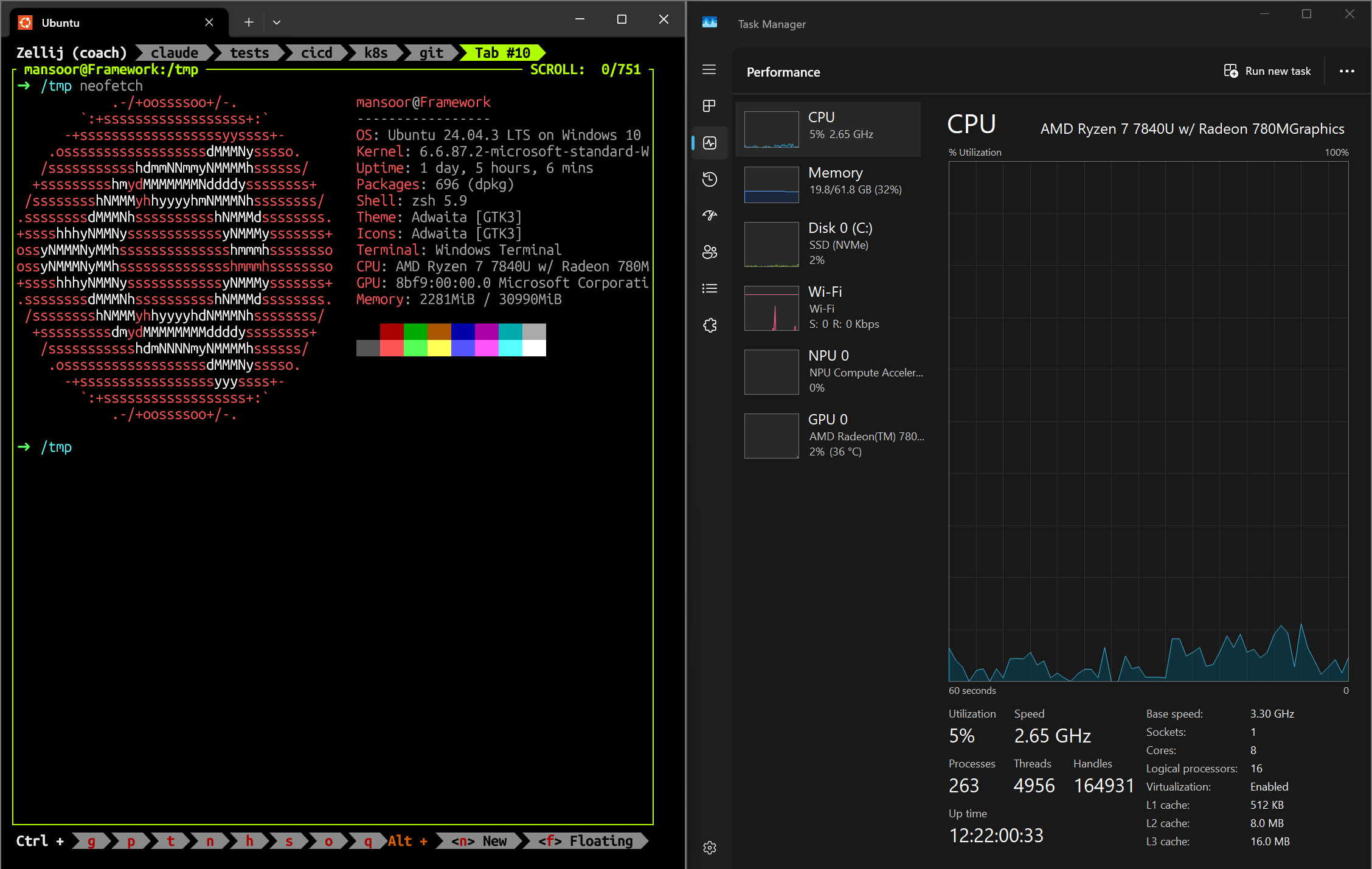
Actually, I never even bothered to read about how WSL2 works and boy was I pleasantly surprised to understand what exactly WSL2 was. WSL2 solves ALL my Linux needs in Windows!
Type 1 Hypervisor
I initially thought WSL2 ran on a VM similar to VirtualBox – I was wrong. When we enable WSL2, Both Windows and Linux become very lightweight Virtual Machines. Linux is a first class citizen with a highly optimized real Linux Kernel. Windows is a privileged VM.
Of course, Windows still acts as the "hardware manager" which is even better since most hardware manufactures have great drivers for Windows. No more issues with Nvidia or AMD drives on Linux!
Near Native Linux Performance
Since both Linux in WSL2 and Windows run like peers, they have nearly identical performance when it comes to most categories except I/O.

- Overall very similar scores
clangCompile metric: actually faster on WSL2 than native Windows- Asset compression: Slightly faster in WSL2 than native Windows
- File Compression : Windows is 24% faster. This is expected since WSL2 uses a virtual hard disk. But still not at all bad
Excellent Integration
WSL2 integrates well with Windows file system as well as networking.
VS Code integration is also excellent. I would argue that VSCode usage on WSL2+Windows is better than Native Linux due to the fact that hardware acceleration etc works flawlessly on Windows GUI side where as the code runs on WSL2 using vscode server. No Wayland / Electron blurry font issues
My Windows Experience on the Framework Laptop
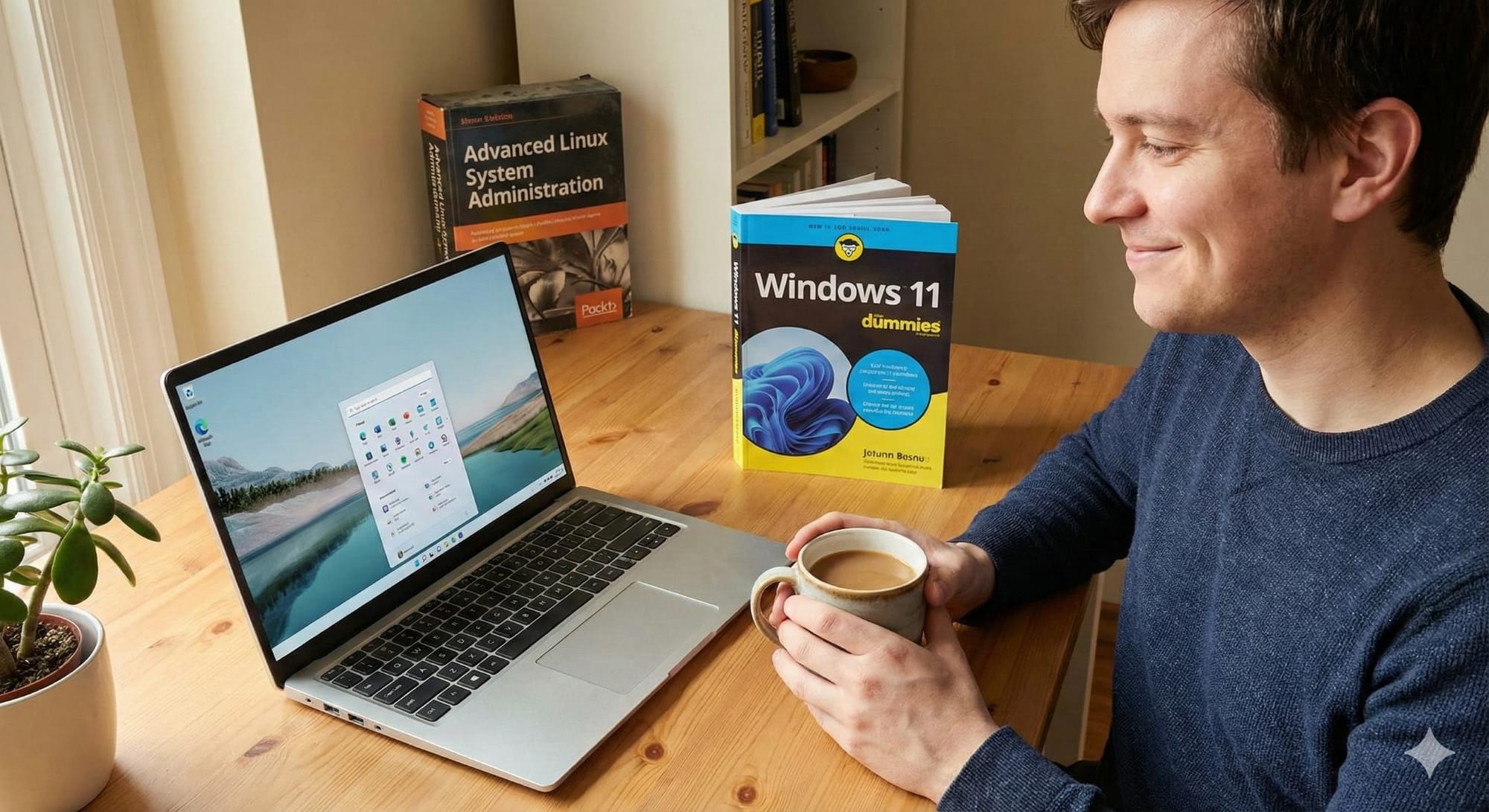
Dealing with Micro$oft and Bloat
So yes, this is a problem. It is Microsoft after all. And that comes with a bunch of issues of Copilot/AI/Trackers/Bloat/Ads etc.!
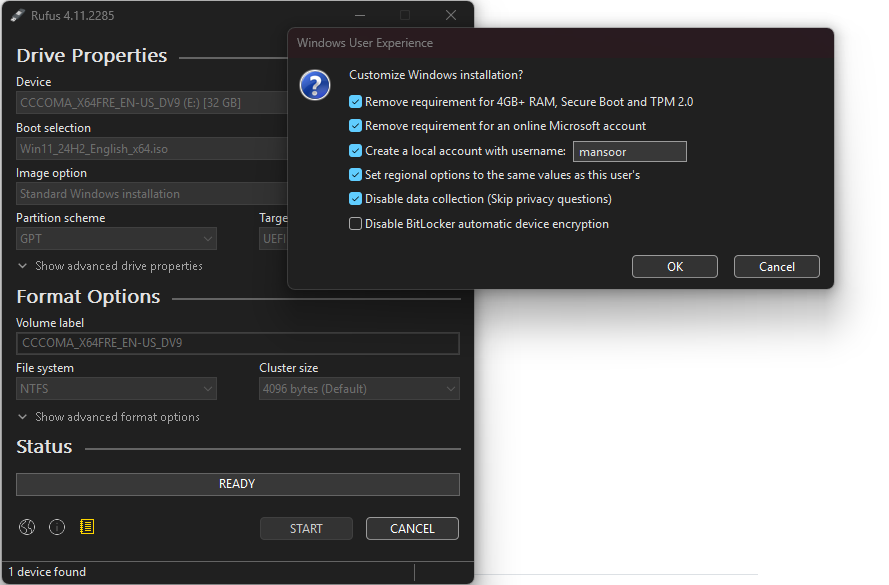
Using Local only account with Windows - Rufus
Rufus is a tiny program that lets you create bootable USB (including for Windows) and it allows us to bypass the need for Microsoft account and skips some data collection
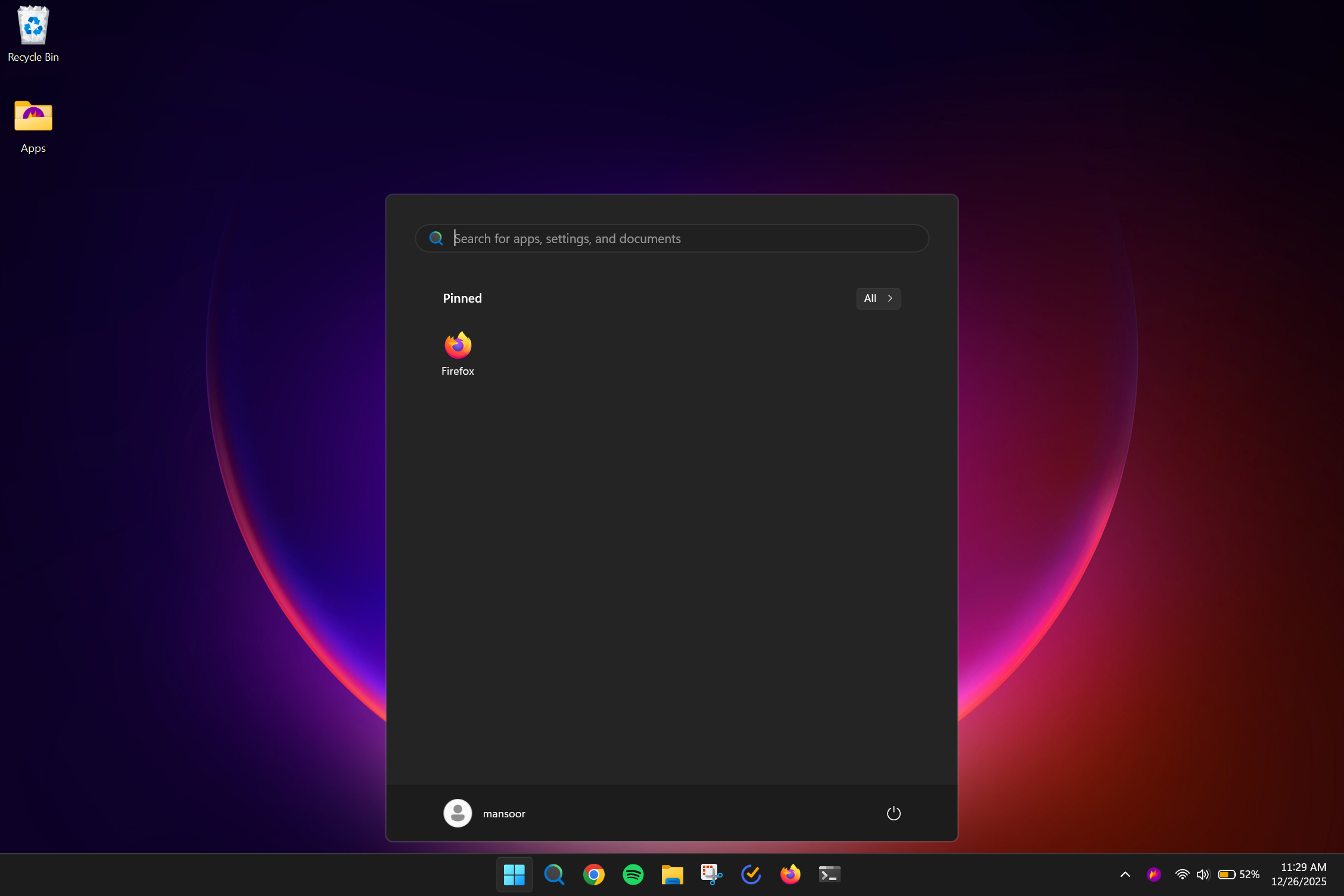
Using a de-bloating script
I used this script – I did not remove things I wasn't sure about. But that was enough for me. No ads anywhere, no noise in the taskbar or in the start menu. It is as clean as it gets.
Display Scaling and Fonts
It just works. No matter what sort of combination of monitors I use, fractional scaling works perfectly.
The font rendering is also looking so crisp and clear. This could be just because of fractional scaling issues on Linux. But the experience of using the Framework 13 at 150% scale is significantly better on Windows 11 compared to any Linux distro
Temperature, Fan, Battery Life
For some reason, the fans are much quieter and the laptop runs much cooler on Windows compared to Linux. In Linux the fans get really loud sometimes – I did try using a fan control program which helped a bit, but it was still loud with simple tasks
Battery life is also much better on Windows (balanced + power saving mode)
Sleep, Hibernate and Wakeup
OMG! I just did not realize how bad Linux was for this particular problem until I switched to Windows.
It. Just. Works! Every time. No questions.
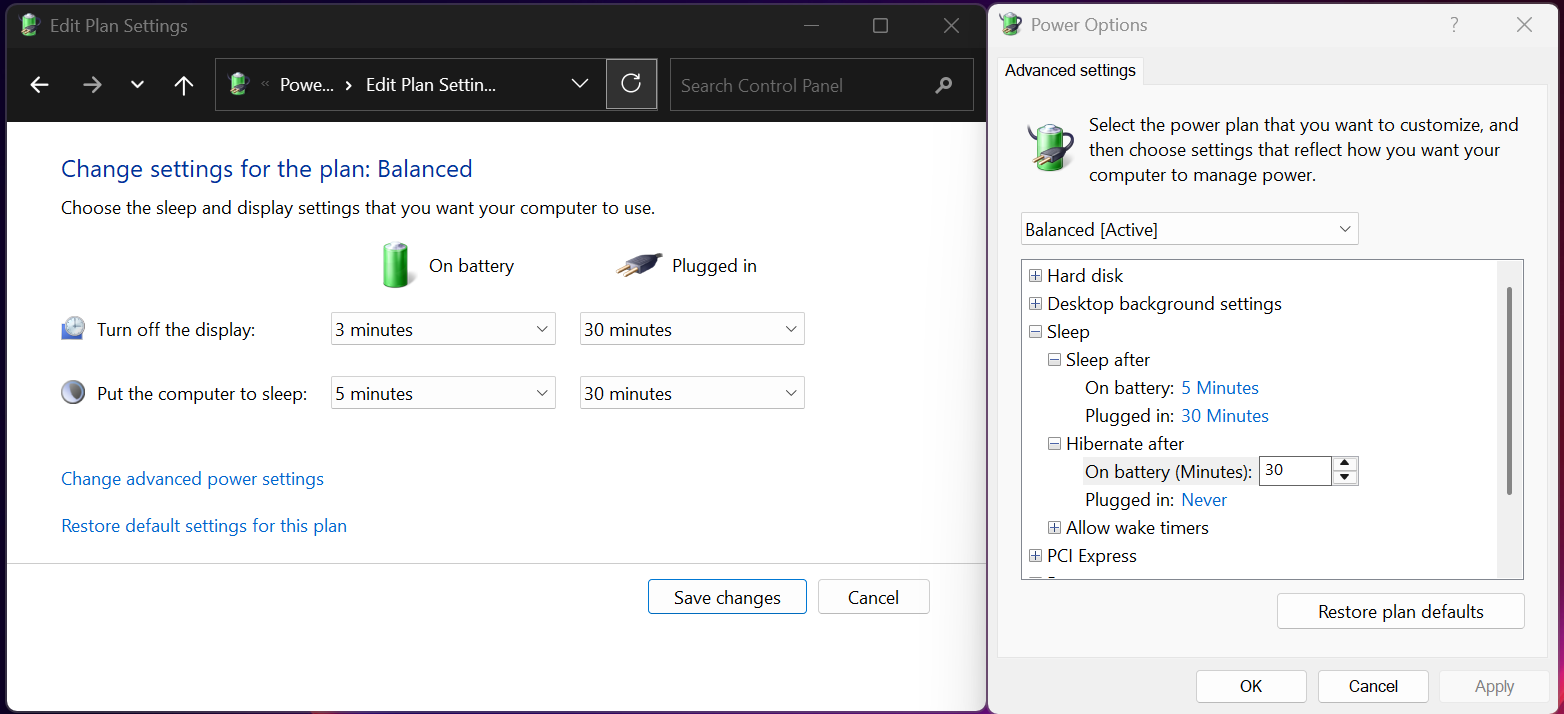
- Close the LID -> it immediately goes to sleep
- Open it -> no font issue, no wonkiness, just works
- After 30 minutes of sleeping -> hibernate (Zero battery drain) – I had to enable this though
Docker in WSL2
Docker works perfectly on WSL2.
- DO NOT use Docker Desktop - Install docker directly on the WSL2 and get rid of Docker desktop.
- Store your code on WSL2 file system, not on Windows. This is very important or you will have poorer performance.
But I can't customize much!
At this point in life, I think that is a feature for me, not a bug. The perceived efficiency improvement from all the customization has been a big lie for me. Surely there were some friction in the first weeks of switching to Windows – But I got over it relatively quickly.
So will I ever switch back to Linux?
Oh absolutely! I still love Linux and what it stands for. I still have Linux on the second SSD on my PC (CachyOS + KDE) which I will use occasionally to scratch that specific itch. But I no longer feel the need to suffer through numerous inconveniences of running Linux on a laptop.
Note about Omarchy
As much as the Arch purists would hate to say, I love Omarchy. I think it is the best bootstrapping for a usable Arch desktop. I have used it for months on my Framework and I would say it is one of the best ways to use a Linux computer for Software Engineering – especially if you love tiling window managers. It has been one of the most stable experience too! So, if you are interested, I strongly recommend it.
Conclusion
I love Linux. I will continue to love the little penguin. But Windows is not that bad at all. With WSL2, it fixes almost ALL the issues when it comes to programming and SRE/DevOps work on Windows laptops. It is a stable tool that gets out of my way and let me do the thing. I am at a phase in my life where I want my tools to let me do what I want to do, I am not interested in maintaining my tools anymore!
So what do you think? I am curious to know your thoughts! Leave a comment (you might have to subscribe – I promise NEVER to spam)
Member discussion